Design one email.
Personalise thousands.
Email Designer Pro is the no-code email template builder that turns a spreadsheet of recipients into a tailored message for every one of them — exported as clean MJML & HTML.
Free to start · No credit card · Works completely offline
Built for teams that send email that feels personal
From spreadsheet to send-ready in three steps
No templates to fight, no HTML to hand-write, no per-recipient copy-paste.
Design once, visually
Click blocks — hero, product, button, columns — into a live canvas and style them to your brand. What you see is what sends.
Connect your data
Upload a CSV or JSON. Drop in merge fields like {{first_name}} and set rules so each block shows only for the right people.
Export for everyone
Generate one personalised email per recipient — clean MJML & HTML, bundled into a send-ready ZIP with campaign metadata.
See it in action
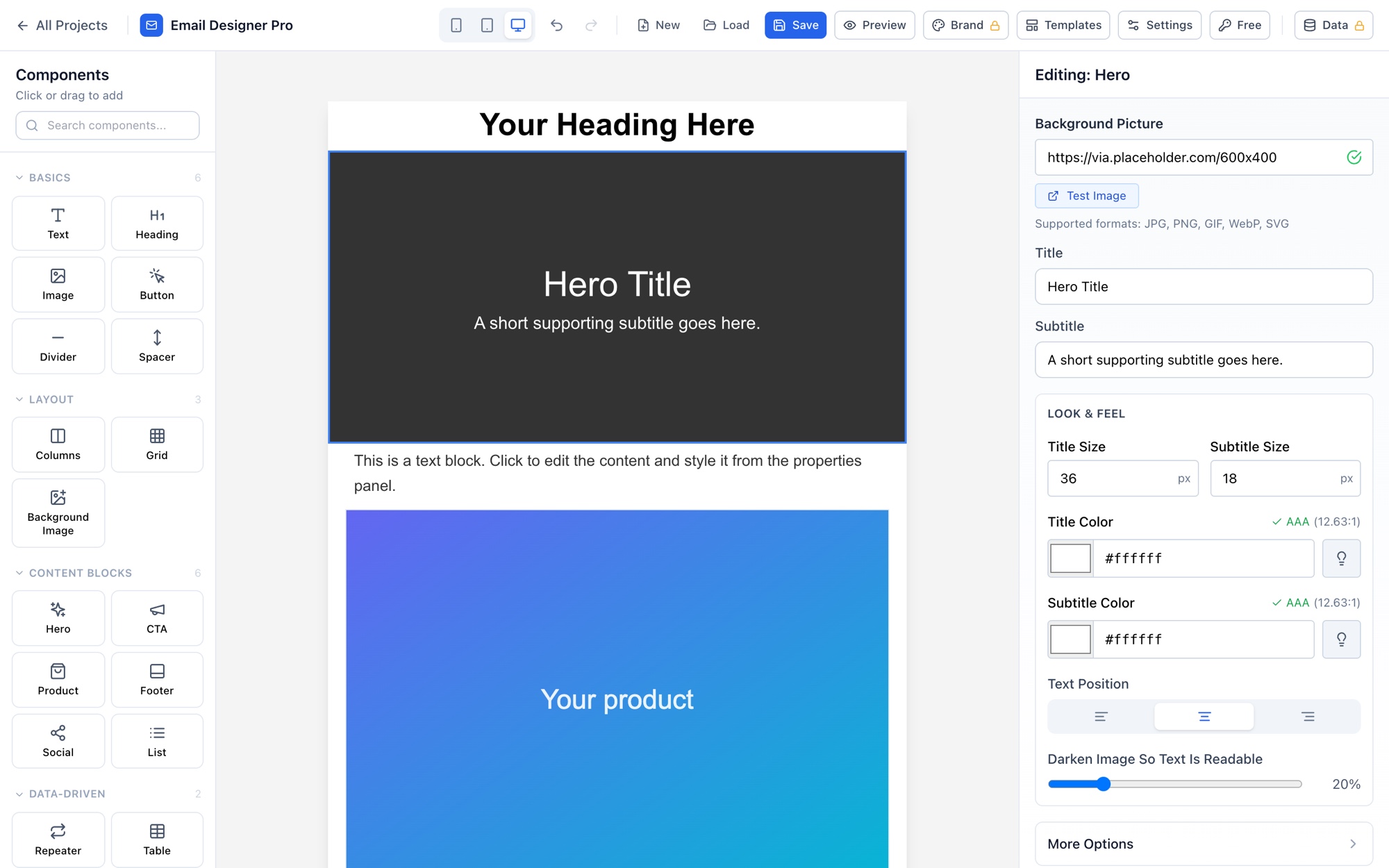
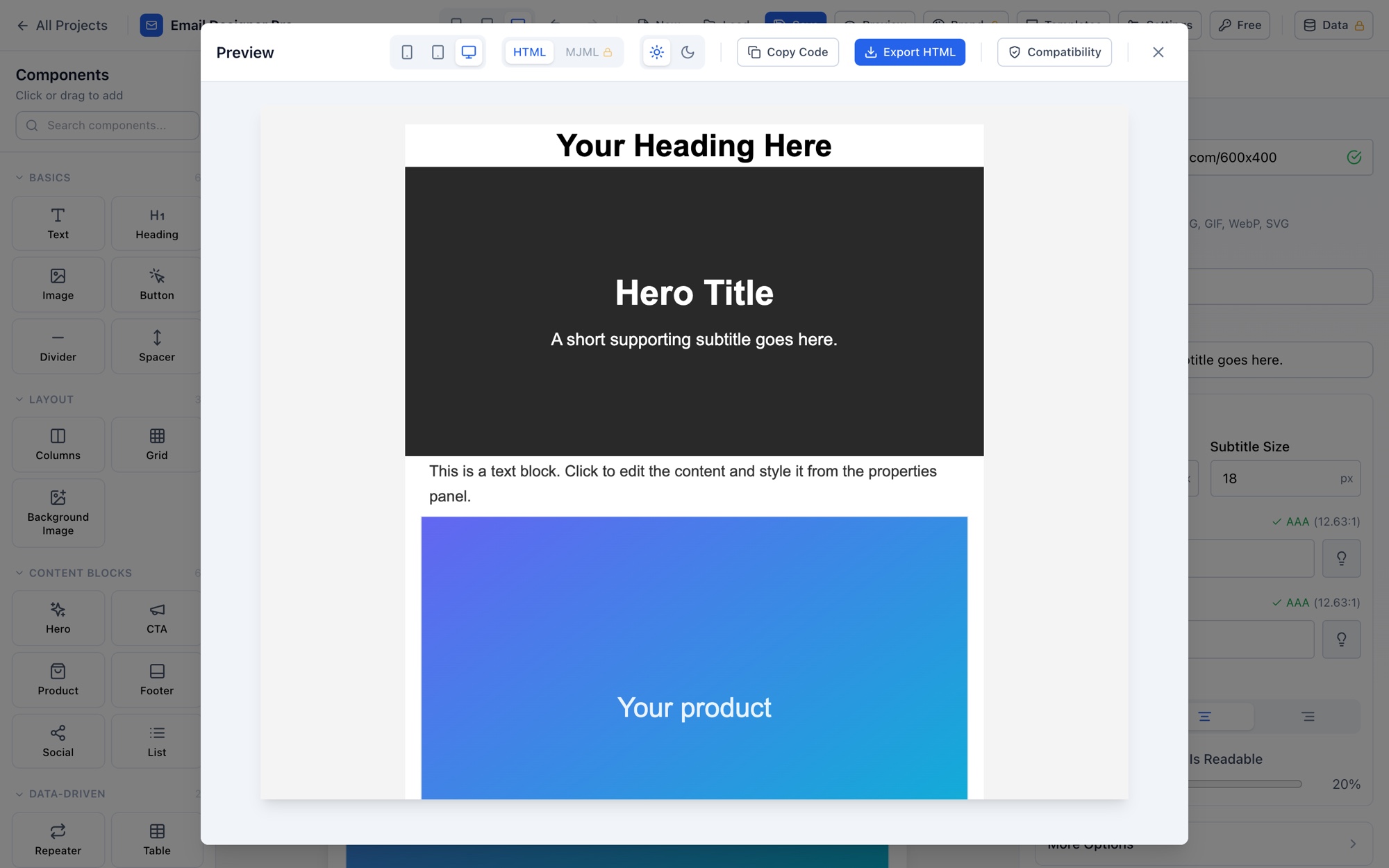
A full visual builder — drag components onto the canvas, edit everything in the side panel, and preview the exact HTML your recipients get.
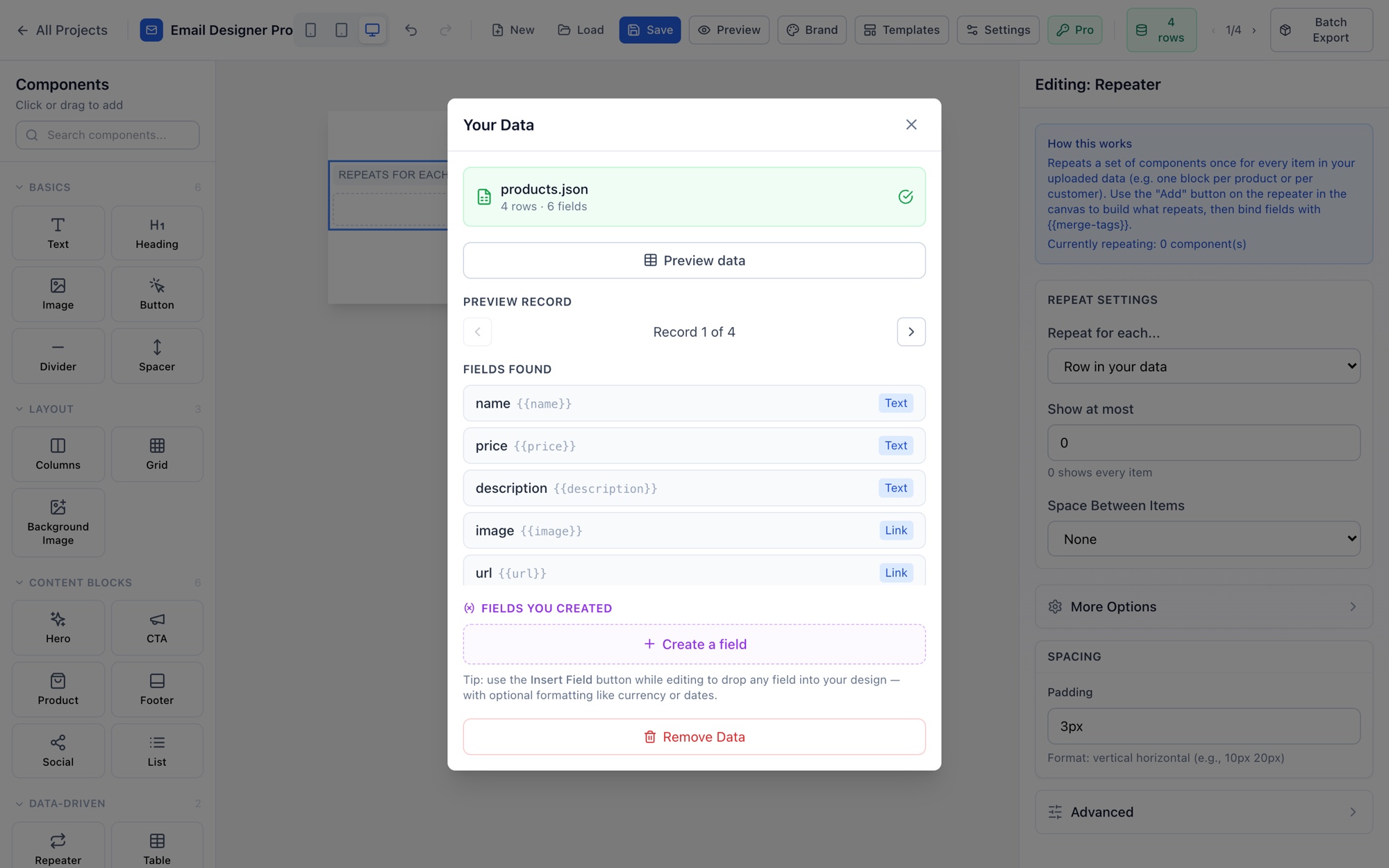
{{merge-tag}} you can drop into the design.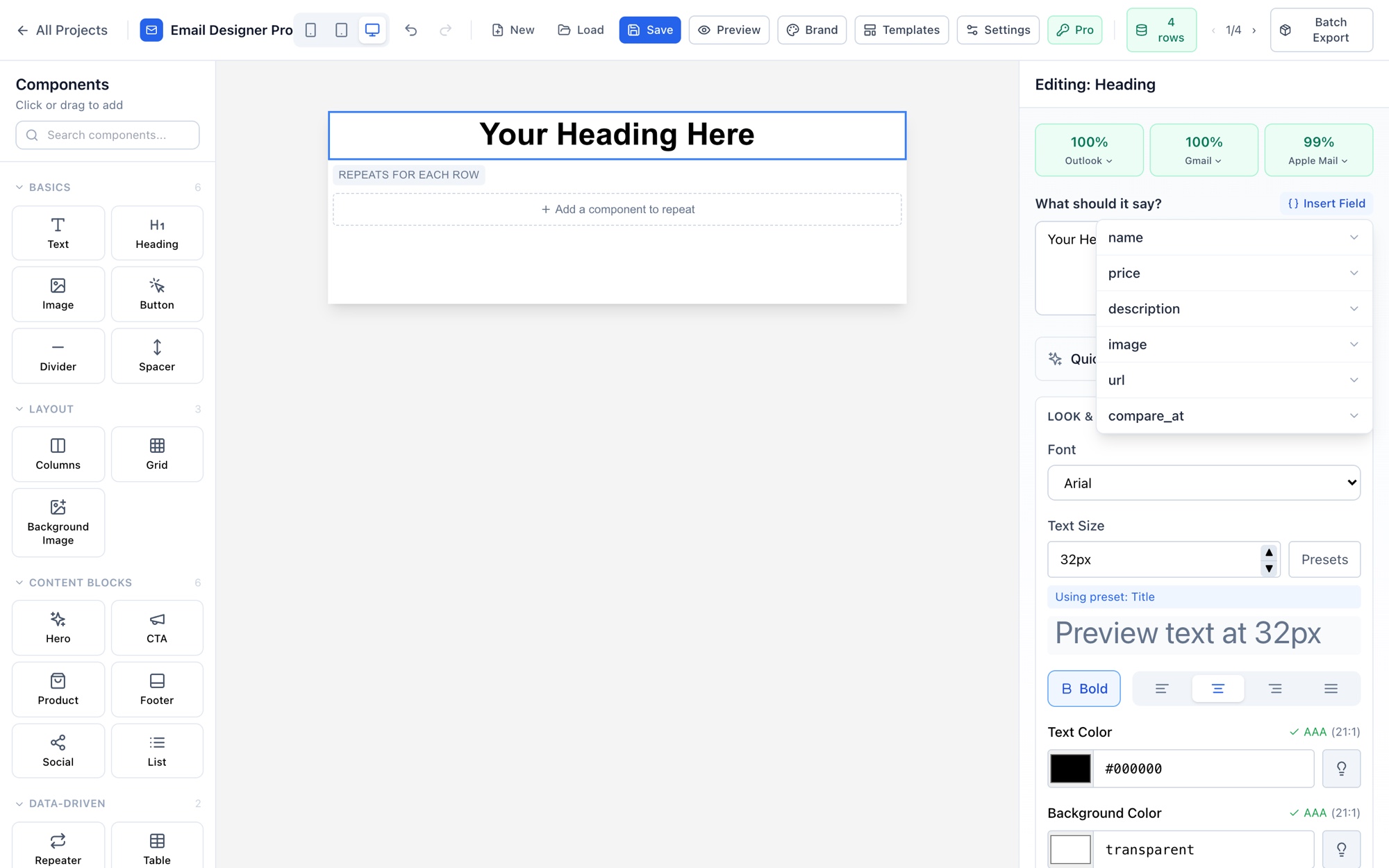
Everything you need to make one email feel like a thousand
Merge fields, transforms & conditions — no code
Insert any data field anywhere with a click, then format it on the spot: currency, dates, capitalization, fallbacks for empty values. Show or hide whole blocks per recipient with simple rules.
- Point-and-click merge-field picker on every content field
- Conditional visibility — e.g. tier is any of gold, platinum
- Computed fields & repeaters for per-recipient product lists
Hi {{first_name}},
Your cart total is {{cart_total | currency}}
Ships to {{city}} by {{ship_date | date}}
// show only for some people
if {{tier}} is any of gold, platinum →
show VIP reward block
Dual MJML + HTML export that renders everywhere
Export the responsive MJML the pros use, and the compiled, bulletproof HTML that survives Outlook, Gmail and Apple Mail. No lock-in — the files are yours.
- Clean, table-based HTML with mobile-responsive rules
- Device visibility: show a block on phone but not desktop
- Built-in Outlook / Gmail / Apple Mail compatibility checks
HTML/
email_1.html
email_2.html … one per recipient
campaign.json // ids, subjects, addresses
// or export a single design as
index.mjml + index.html
Batch export & searchable PDF archives
Turn one design into a personalised email for every row of your data, packaged as a send-ready ZIP. Need a paper trail? Add pixel-exact, fully searchable PDF copies for compliance.
- One personalised email per recipient, in a single ZIP
- Live progress, name-by-field, campaign metadata file
- Optional searchable PDF archive (looks exact, Ctrl-F works)
Your data never leaves your computer
No servers to trust with your recipient list. Projects are encrypted at rest with AES-256, with full version history so you can restore any earlier draft.
- Client-side by default — nothing uploaded to a backend
- AES-256 encrypted projects & version history
- Reusable templates and brand styles across campaigns
encryption: AES-256-GCM
location: your computer
uploaded: never
history: every save, restorable
Personalised email performs — if you can actually make it
Most tools make you choose between a rigid template and hand-writing HTML. Email Designer Pro removes the trade-off: design freedom and true per-recipient personalisation, at any volume.
Not a newsletter tool. Not a code editor. Both, minus the pain.
Prefer a head-to-head? See Email Designer Pro vs Stripo, vs Beefree, and vs Mailchimp.
Start free. Go Pro when you scale.
Design and export real emails for free. Add data-driven personalisation and batch export with a one-off Pro licence — pay once, yours forever.
- Visual editor with the core blocks — text, headings, images & buttons
- HTML export
- Up to 3 saved projects
- Autosave, so you never lose work
- Outlook / Gmail / Apple Mail compatibility checks
Free exports include a small “Made with Email Designer Pro” badge.
Download free- Everything in Free, plus:
- All 17 content blocks — hero, product, columns, grid, repeater, table…
- Data-driven personalisation — CSV/JSON import, merge fields & conditions
- MJML export + batch export (one email per recipient)
- Searchable PDF archives for compliance
- Brand styles, custom fonts & unlimited projects
- No badge on exports · priority support
Your licence key arrives by email straight after checkout.
Building for a team? Get in touch — shared templates, cloud sync & team controls.
Talk to us
Buying Pro needs no conversation — checkout emails your key straight away. This is for everything else: team licensing, volume pricing, or a question about whether the app fits what you are trying to send.
- 1Tell us what you are sending — how you send email today, and roughly how many recipients.
- 2We reply within one business day, from a real person rather than a ticket queue.
- 3Already bought? Paste your key into the app — click the licence badge in the toolbar, and Pro unlocks on that computer.
What is Email Designer Pro?
Do I need to know how to code?
What's the difference between Free and Pro?
Can it personalise emails for thousands of recipients at once?
Which email clients does the output support?
Does it send the emails for me?
Is my recipient data private?
Make your next email feel written for one person.
Design it once. Personalise it for everyone. Export in minutes.