Split thousands of files
into organised archives.
SmartZipper is a fast, parallel file archiver that splits large collections — 100K to 400K+ files — into tidy zip archives. It uses every CPU core and runs fully offline.
Free for personal use · No installation · Runs offline
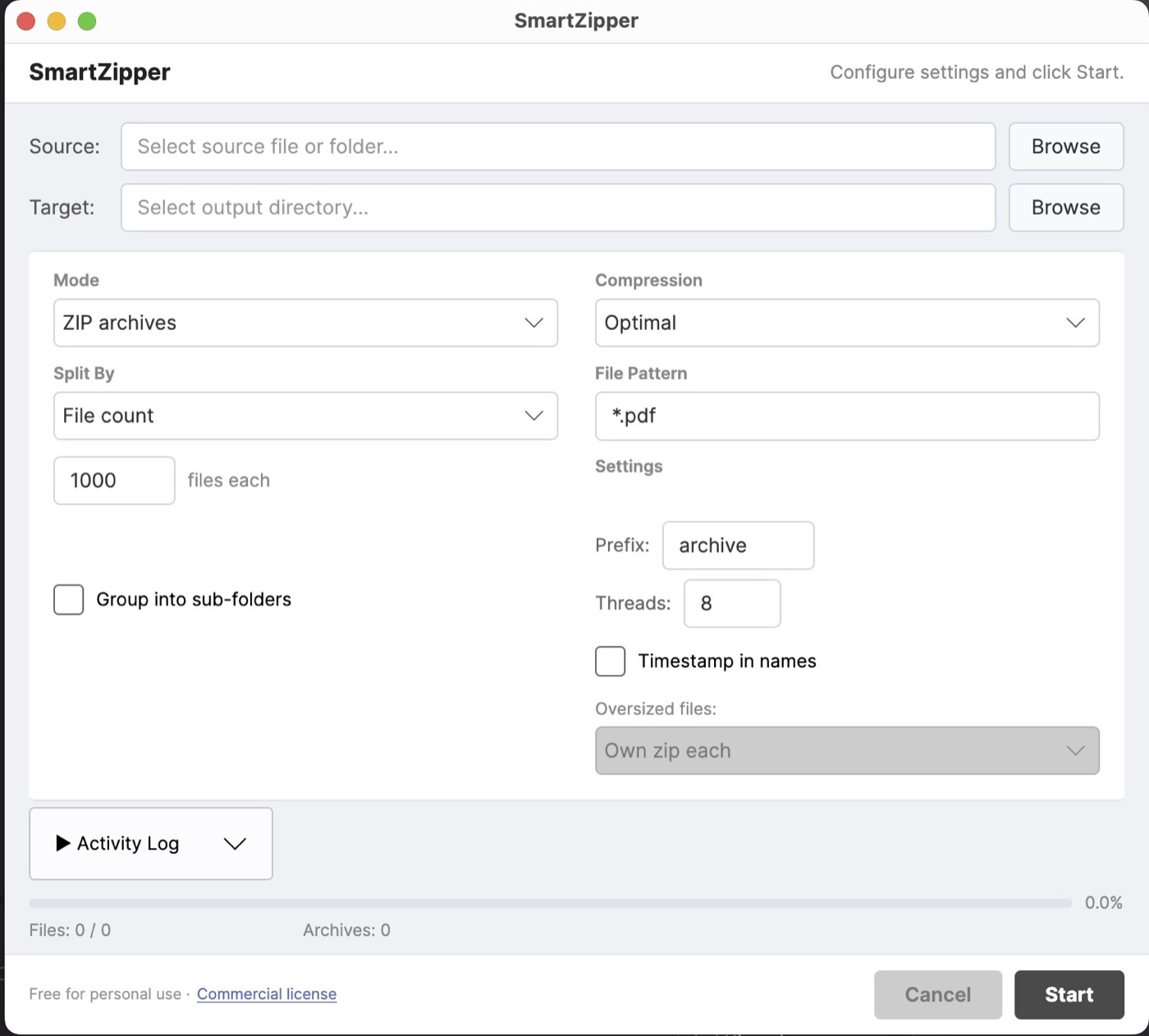
Three steps. That's it.
Select your files, choose how to split them, and hit Start.
Select files
Choose a folder of files — PDFs, images, documents, anything at all.
Configure
Split by count, by size, into grouped sub-folders, or distribute without compression.
Start
SmartZipper uses every CPU core to process your files in seconds.
Built for bulk file operations
Handle massive file collections that other tools can't manage efficiently.
Parallel compression
Uses all CPU cores at once to build multiple archives simultaneously — 200+ MB/s, far faster than single-threaded 7-Zip or WinRAR for batch work.
Split by file count
Divide files into archives of a set number — e.g. 1,000 files per zip. Predictable, consistent sizes.
Split by size (MB)
Set a maximum size per archive — e.g. 100 MB per zip. Sizes are estimated accurately before compression.
Grouped sub-folders
Organise files into numbered sub-folders inside each zip — e.g. 10 folders × 10,000 files. Custom naming supported.
Distribute to folders
Split files into folder groups with no compression at all. Pure organisation — no zipping required.
Oversized-file handling
Files over the size limit automatically get their own zip or a separate folder. No manual work.
Fully offline & private
No internet, no telemetry, no data collection. Your files never leave your machine.
Standalone executable
A single file — no installation or runtime needed. Download, extract, run.
How SmartZipper compares
Purpose-built for bulk splitting — not just compression.
| Feature | SmartZipper | 7-Zip | WinRAR |
|---|---|---|---|
| Split by file count | ✓ | — | — |
| Sub-folder grouping inside zip | ✓ | — | — |
| Distribute to folders (no zip) | ✓ | — | — |
| Parallel multi-archive creation | ✓ | — | — |
| Split by volume size | ✓ | ✓ | ✓ |
| 7z / RAR format | Roadmap | ✓ | ✓ |
| Free for personal use | ✓ | ✓ | Trial |
Free for personal use
All features, no restrictions, no time limits. Commercial licences available for business use.
- All features included
- No time limits, no registration
- Every split mode
- Parallel compression
- macOS & Windows
- Everything in Personal, plus:
- Commercial licence
- All future updates
- Priority email support
- Multi-seat options · invoice / PO
Get SmartZipper
Standalone executable — no installation required. Download, extract, and run.
Extract and run SmartZipper.exe. Windows SmartScreen may warn on first launch — click "More info" → "Run anyway". Standard for independently published apps.
Extract the zip. macOS blocks unsigned apps on first launch — go to System Settings → Privacy & Security → "Open Anyway". Runs normally after that.
Your files stay on your machine. Always.
No internet, no telemetry, no data collection — SmartZipper reads files and writes archives, nothing else.